
Total time for making a website: 10 to 30 minutes.
This Guide Works For....


- STEP #1: Choose Your Website Platform
- STEP #2: Get a Domain Name and Host
- STEP #3: Let’s Set Up and Tweak Your Website
STEP #1: Choose Your Website Platform
Before you start thinking about colour schemes, domain name and web hosting, you’ve got to decide what platform you’re going to build your website with.
Back in 2004 when I got started with web development, most sites were built using
- HTML (code)
- CSS (code)
- PHP (code)
These took a lot of time to learn and were tricky to master (still are).
I don’t recommend learning coding from scratch as it could take months, if not years to fully master.
And even then, you’re probably still not satisfied with the end result of your website. Adding content through HTML and PHP pages would be time wasting and really complicated process.
In 2017, most people and organizations use content management systems (CMS) to build and manage their websites. I’m recommending it, too.
What is ‘Content Management System’? Is it FREE?
Most popular and well-known CMS (website platforms) are free.
To put simply, a content management system (or website building platform) is a user-friendly platform for building websites and managing your website content, instead of using a bunch of loose HTML, CSS and PHP pages.
CMS is good choice for many different types for websites, as organizations and individuals can:
- Copy/paste content into a page and then just update when changes need to be made. (i.e. like copying from Microsoft Word)
- Don’t need to hire someone to fill a web maintenance role. (nobody likes to spend money)
- There’s no need to buy expensive software to build out pages.
Using CMS is all very simple and user-friendly.
What CMS/Website Platform should I use?
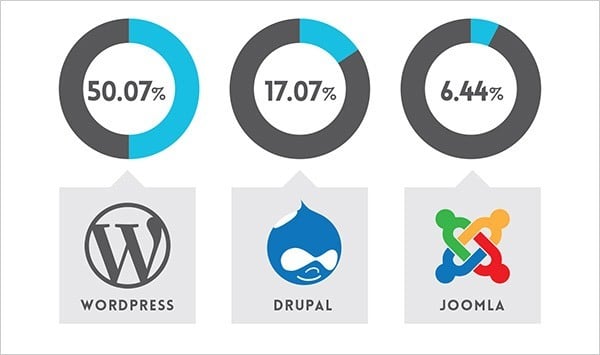
According to recent statistics, three most popular website building platforms in 2017 are..
- WordPress (FREE, 50.07%)
- Drupal (FREE, 17.07%)
- Joomla (FREE, 6.44%)
As you can see from the graph, over 50% of the top 10 million websites are using WordPress.
If you want more details, I’ve put together a pretty comprehensive comparison between WordPress, Joomla and Drupal. If for some reason you don’t want to build your site with WordPress, check out my Drupal, Joomla and HTML5 tutorial as well. They are all FREE to use.
In most cases, however, Drupal and Joomla are too robust and difficult for an average internet users, hence the reason, I suggest sticking with WordPress.
So keep reading the guide.
Why I recommend using WordPress?
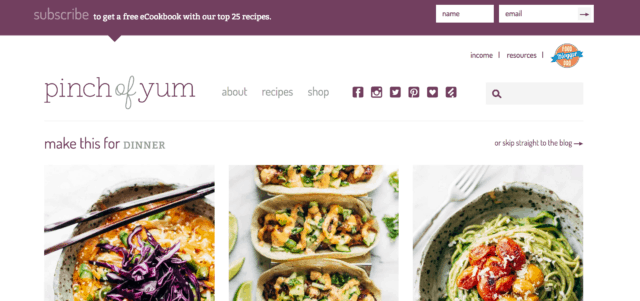
Because at this point there are no better/easier ways to build a website… But more importantly:
- 1. WordPress is FREE
WordPress doesn’t cost a dime to download or install (though it’s being updated each month), and there’s a huge community who help/guide people for free.
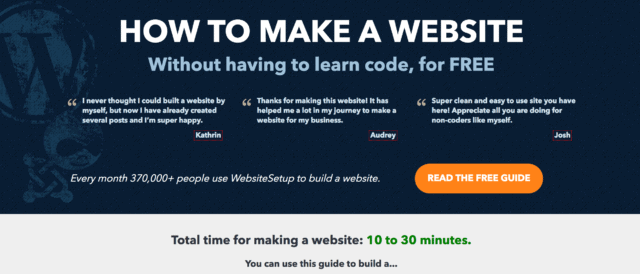
- 2. WordPress is VERY flexible
If you know how to use Microsoft Word, you already know how add your own content. WordPress can be expanded with free plugins to handle just about any site you can imagine. There’s more than 2000 free themes to choose from.

- 3. No need to learn HTML, CSS and PHP from scratch (can take 6+ months)
Since WordPress acts as a “website editor”, you don’t need to learn all the coding skills just to add one single image or line of text
.
- 4. There’s huge developer network
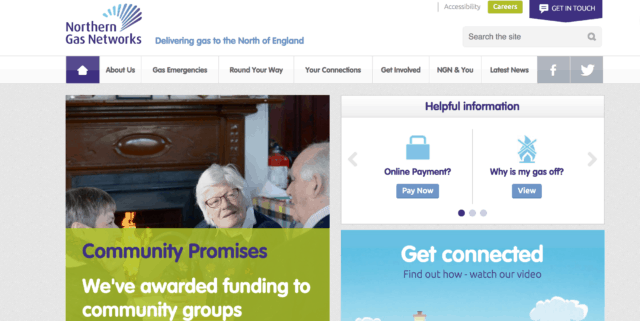
Vast majority of web designers and developers use WordPress. This means you can get help quite quickly.
- 5. WordPress is great for small and large sites
From websites to online stores, WordPress can handle just about any kind of website. WordPress is also used by eBay, Mozilla, Reuters, CNN, Google Ventures and even NASA.
For beginners, I suggest sticking to WordPress.
It’s the easiest platform I’ve ever worked with, but it’s flexible enough to suit everyone from small business owners, and freelancers to creative artists and bloggers.
If you have any questions/suggestions for this guide don’t hesitate to contact me. Remember: I’m here to help!
 P.S. Don’t download/install WordPress yet, you’ll first need a domain name (www.YourWebsiteName.com) and web hosting to store your website files (this will be explained in next step).
Next Step:


No comments
Thank You For Your Comment. We Will Back To You As Soon As Possible.